


Monochrome screen C
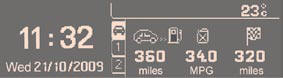
Data displays
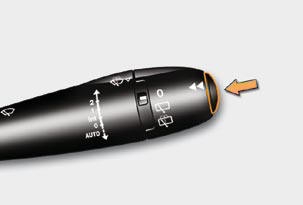
Press the button, located at the end of the wiper stalk , to display the various trip computer tabs in succession:

- the current information
tab with:
● the range,
● the current fuel
consumption,
● the distance remaining
to be travelled,

- the trip "1" tab with:
● the distance travelled,
● the average fuel
consumption,
● the average speed, for
the fi rst route.

- the trip "2" tab with:
● the distance travelled,
● the average fuel
consumption,
● the average speed, for
the second route.
Pressing the button again returns you to the normal display.
Route zero reset
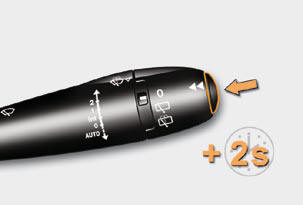
When the route required is displayed, press the control for more than two seconds.
Trips "1" and "2" are independent but their use is identical.
Trip "1" permits, for example, daily calculations, and trip "2" monthly calculations.
See also:
Passenger safety
Activation/Deactivation of the front passenger’s airbag
A. Insert the ignition key.
B. Select the "ON" or "OFF" position.
C. Remove the key.
Warnings for seat belts unfastene ...
Sitting comfortably
Front seats
Manual adjustments
Forwards-backwards
Driver’s seat cushion height and angle adjustment
Seat back angle and lumbar adjustment
Electrically operated adjustments (driver’s seat on ...
Play it safe
The Citroën DS3 is designed with an emphasis on robustness, strength and
optimum safety to ensure protection for all occupants. For reassuring control in
any driving situation Citroën DS ...