


Operation
The system intervenes only when driving economically.
Depending on the driving situation and your vehicle's equipment, the system may advise you to skip one or more gears. You can follow this instruction without engaging the intermediate gears.
The gear engagement recommendations must not be considered compulsory. In fact, the confi guration of the road, the amount of traffi c and safety remain determining factors when choosing the best gear. Therefore, the driver remains responsible for deciding whether or not to follow the advice given by the system. This function cannot be deactivated.
Example:
- You are in third gear.
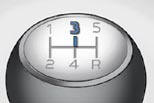
- You press the accelerator pedal moderately.
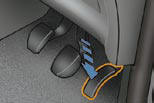
- The system may suggest that you engage a higher gear, if appropriate.
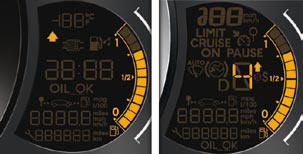
The information appears in the form of an arrow on the instrument panel display.
Depending on your vehicle's equipment, this arrow may be accompanied by the recommended gear.
In the case of driving which makes particular demands on the performance of the engine (fi rm pressure on the accelerator pedal, for example, when overtaking...), the system will not recommend a gear change.
The system never suggests:
- engaging fi rst gear,
- engaging reverse gear,
- engaging a lower gear.
See also:
Exceeding the programmed speed
Pressing the accelerator pedal to exceed the programmed
speed will not have any effect unless you press the pedal
fi rmly past the point of resistance .
The speed limiter is deactivated temporarily ...
Handbrake
The parking brake is applied, with the vehicle stationary, by pulling on the
lever with a force that is proportionate to the steepness of the slope. To facilitate
the action on the lever, you ar ...
Frequently-asked questions
The table below provides answers to the questions that are asked the most frequently.
...