


Displays on the screen
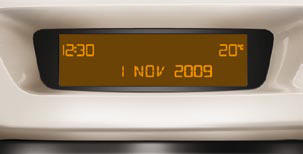
This displays the following information:
- time,
- date,
- ambient temperature (this fl ashes if
there is a risk of ice),
- status of the doors and boot,
- audio sources (radio, CD...),
- trip computer (refer to the "Instruments
and Controls" section).
Warning messages (e.g.: "Emission control system faulty") or information messages (e.g.: "Boot open") may appear temporarily. These can be cleared by pressing the "ESC" button.
See also:
"SETUP" menu
Press the "SETUP" button to gain
access to the "SETUP" menu. This
allows you to select from the following
functions:
- "System language",
- "Date and time&quo ...
Fuses under the dashboard
Fuse box
Fuse box
To access the engine compartment fusebox, detach and remove the cover.
After any repair, reclose the cover very carefully. If the cover is not correctly
positioned o ...
Define the vehicle parameters
Once this menu has been selected, you
can activate or deactivate the following
equipment:
- wiper linked to reverse gear (refer to
the "Visibility" section),
- "guide-me-home" ...