


Interior mirror
Manual type
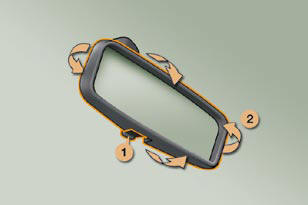
1. Selecting the "day" position of the
mirror.
2. Mirror orientation.
Automatic day/night type
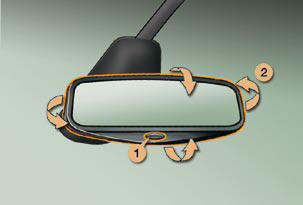
1. Automatic detection of day/night
mode.
2. Mirror orientation.
See also:
Lighting controls
System for selection and control of the
various front and rear lamps providing
the vehicle's lighting. ...
Interior volumetric protection
The system detects any variation in the
volume in the passenger compartment.
The alarm is triggered if anyone breaks
a window or moves inside the vehicle.
If you wish to leave a pet in the vehicle ...
Exiting economy mode
These functions are reactivated automatically
the next time the vehicle is
driven.
In order to resume the use of these
functions immediately, start the engine
and let it run for a few minutes.
T ...