


USB reader
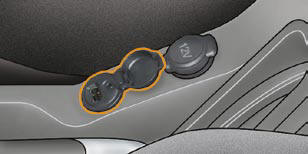
This connection box, consisting of a JACK socket and a USB port, is located on the centre console.
It permits the connection of portable equipment, such as a digital audio player of the iPod ® or USB stick type.
It reads the audio fi le formats (mp3, ogg, wma, wav...) which are transmitted to your audio equipment and played via the vehicle's speakers.
You can manage these fi les using the steering wheel controls or the audio equipment control panel and display them on the multifunction screen.
When it is in use, the portable equipment charges automatically.
For further details concerning the use of this equipment, refer to the Audio system part of the "Audio and Telematics" section.
See also:
Towing another vehicle
On the rear bumper, unclip the cover
by pressing at the bottom.
Screw the towing eye in fully.
Install the towing bar.
Switch on the hazard warning lamps
on the towed vehicle.
When t ...
Frequently-asked questions
The table below provides answers to the questions that are asked the most frequently.
...
Signalling
Direction indicators
Left, downwards.
Right, upwards.
For a change of direction, move the control stalk beyond the tight spot. The
indicator is automatically cancelled when the steering wheel r ...