


Button controls
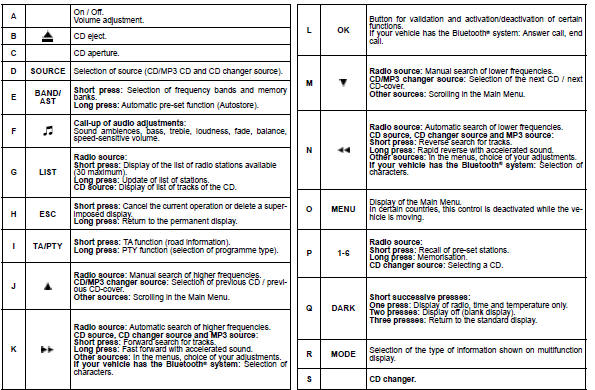
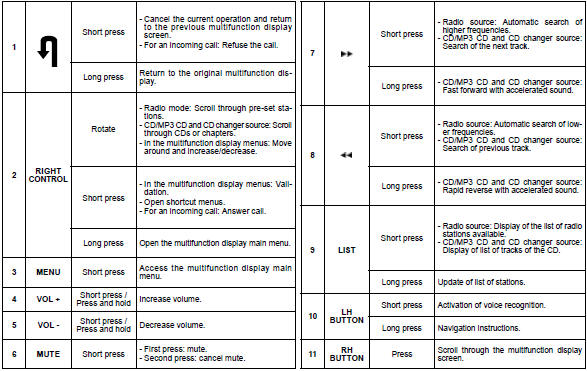
The controls at the steering wheel give you access to certain functions, without you needing to use the radio-CD control panel.
See also:
Audio/telematics system
Control panel
CD changer
See NaviDrive instructions ...
Special position of the
windscreen wipers
In the minute following switching off of the
ignition, any action on the stalk positions
the wipers vertically.
This action enables you to position the
wiper blades for winter parking, cleaning
...