


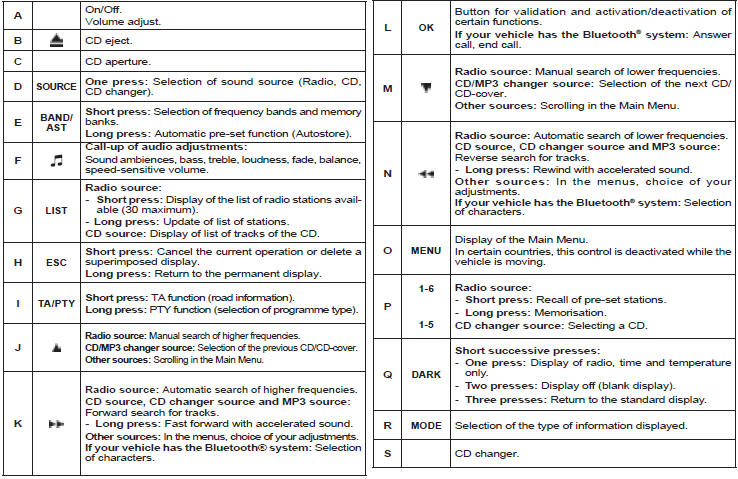
Button controls
See also:
Interior mirror
Manual type
1. Selecting the "day" position of the
mirror.
2. Mirror orientation.
Automatic day/night type
1. Automatic detection of day/night
mode.
2. Mirror orientation. ...
Navigation
Information for two journeys 1 and 2
A first rotation of control knob A on the steering wheel allows you to display
the information for journey 1.
Average speed
This is calculated (since the la ...
Air treatment
The incoming air follows various routes
depending on the controls selected by
the driver:
- direct arrival in the passenger compartment
(air intake),
- passage through a heating circuit
(heating ...