


Button controls
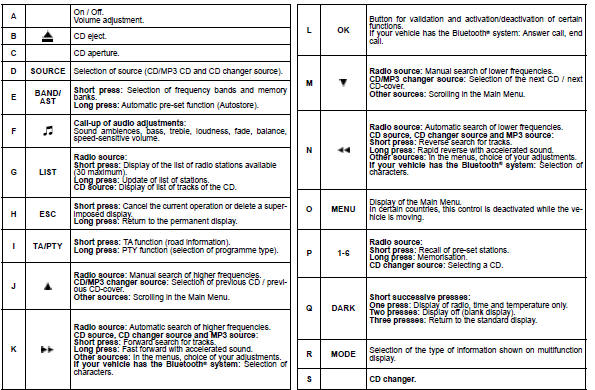
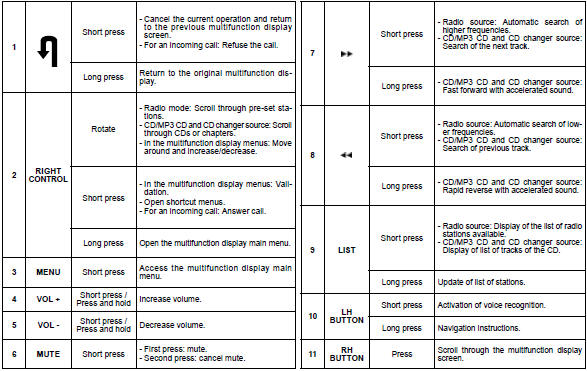
The controls at the steering wheel give you access to certain functions, without you needing to use the radio-CD control panel.
See also:
Safety recommendations
Towbar
We recommend that you use CITROËN towbars and harnesses which have been tested
and approved during the design of your vehicle, and that these devices are fitted
by a CITROËN de ...
Jack socket
This connection box, consisting of a
JACK socket is located on the centre
console.
It permits the connection of portable
equipment, such as a digital audio player
of the iPod ® type.
It reads ...
Special position of the
windscreen wipers
In the minute following switching off of the
ignition, any action on the stalk positions
the wipers vertically.
This action enables you to position the
wiper blades for winter parking, cleaning
...