


Audio/telematics system
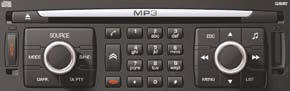
Control panel
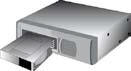
CD changer
See NaviDrive instructions
See also:
Displays on the screen
This displays the following information:
- time,
- date,
- ambient temperature (this fl ashes if
there is a risk of ice),
- status of the doors and boot,
- audio sources (radio, CD...),
- tri ...
Windows
Electric windows
The driver uses the controls located on the door to operate the vehicle’s electric
windows.
Note: the electric windows can also be operated for a limited time
after the igniti ...
Automatic lighting
The sidelamps and dipped headlamps
are switched on automatically, without
any action on the part of the driver,
when a low level of external light is detected
or in certain cases of activation
of ...